Vexorithax | Digital Transformation Experts - Halaman 6 Vexorithax | Digital Transformation Experts - Halaman 6 

Analisis Efektivitas Taktik Mengarahkan Kok ke Sisi Backhand Lawan Terus
Spotlight

Analisis Efektivitas Taktik Mengarahkan Kok ke Sisi Backhand Lawan Terus

Analisis Efektivitas Taktik Mengarahkan Kok ke Sisi Backhand Lawan Terus

27 Nov 2026 News
Read Article
the-collectors-edition.com
Highlights

Recent Signals

Latest Updates

Dark Picks

Live
51
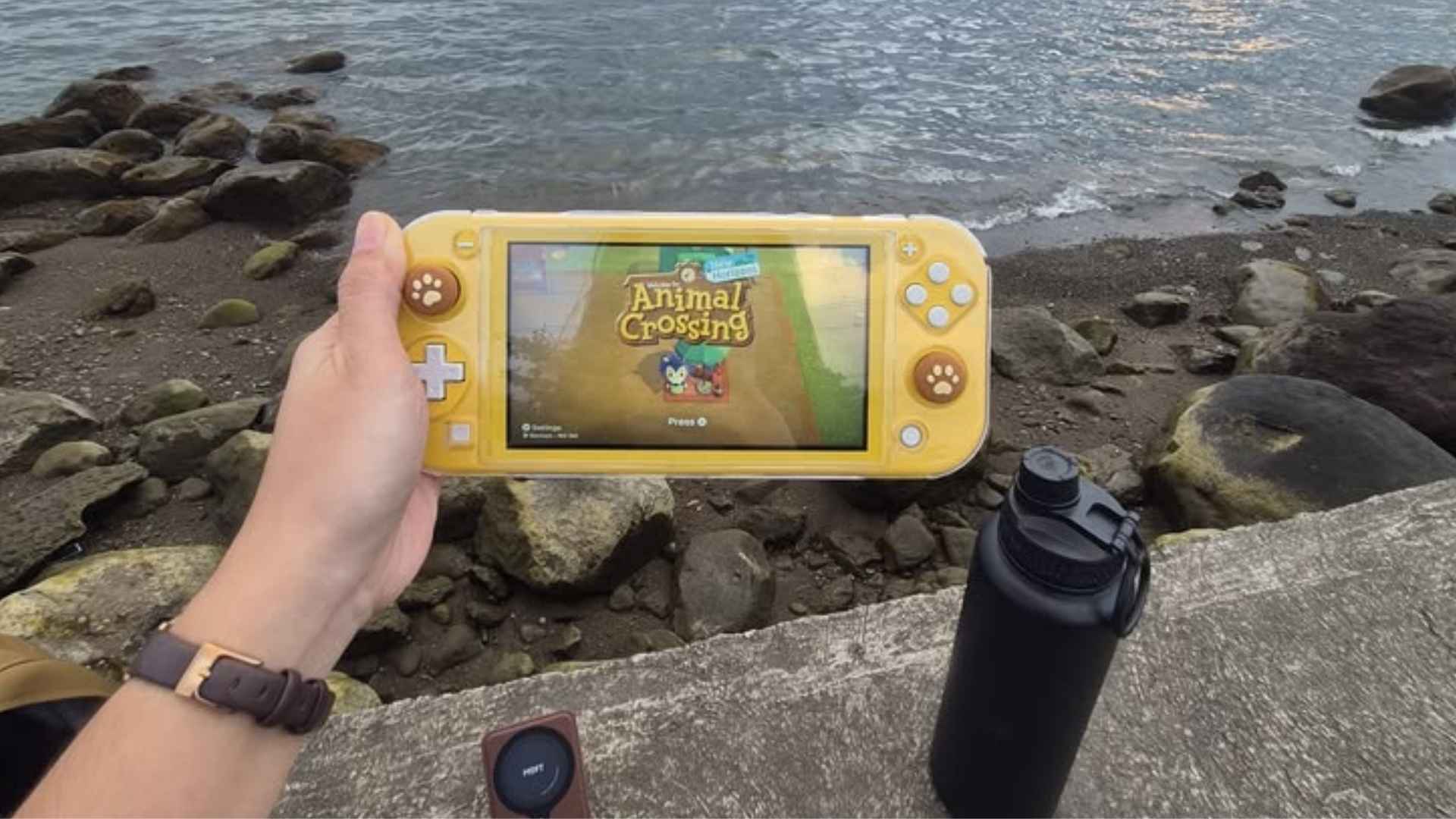
How To Wish On Stars ACNH And Collect Star Fragments
29 Oct 2026 News

How To Wish On Stars ACNH And Collect Star Fragments

How To Wish On Stars ACNH And Collect Star Fragments

Stargazing in Animal Crossing: New Horizons offers island residents a magical way to spend their clear evening hours. Shooting stars occasionally streak across the night sky, allowing players to make wishes and gather valuable craftable materials. Understanding the exact mechanics behind meteor showers helps islanders stock up on rare DIY recipe components effortlessly.

Spotting Shooting Stars and Preparing Your Character

Meteor showers occur on clear nights between 7:00 PM and 4:00 AM on your island. Listening closely to the ambient audio is essential, as falling stars create a subtle chiming sound whenever they appear overhead. Isabelle or village neighbors will often announce major meteor showers during the morning announcements or daily chats.

To make a successful wish, your character must be standing still without holding any tools or items. Tilt the right analog stick upward to tilt your camera view directly toward the night sky. When you see a star streak by, press the A button immediately to make your character bow and wish upon the glowing light.

Gathering Star Fragments Along the Shoreline

Wishes made during the night pay off the following morning along your island's beaches. Walk along the sandy shorelines starting at 5:00 AM to discover scattered star fragments washed up on the sand. Players can collect regular fragments, large fragments, and unique zodiac-themed pieces depending on the active sign season.

The total number of fragments that spawn depends on how many wishes you made the night before. Visiting friends can also wish on your stars to increase the overall count of items found the next day. Gamers who enjoy tracking night sky events or managing online gaming hubs like m88.com mobile appreciate the rewarding daily routine that stargazing provides.

Unlocking Special Celeste DIY Recipes

Celeste the owl frequently visits your island on nights with shooting star activity. Speaking with her awards special DIY recipes that require star fragments to craft, including celestial furniture and unique tools. She also provides specific zodiac recipes whenever a new astrological period begins.

Collecting a diverse inventory of star fragments allows players to craft decorative items such as the Nova Light, Starry Garland, and Crescent-Moon Chair. These glowing items greatly enhance island ratings and add a magical atmosphere to outdoor display areas. Regular participation in meteor events ensures you never miss a chance to build these rare recipes.

Maximizing Your Stargazing Efficiency

While announced meteor showers feature heavy star traffic, light meteor nights also happen randomly throughout clear months. Checking the sky periodically while completing evening chores increases your chances of spotting unexpected shooting stars. Setting your game volume higher makes it much easier to catch the distinct twinkling sound effect.

Inviting friends over during heavy meteor showers maximizes the fun and efficiency of stargazing. Group wishing sessions help everyone earn maximum fragment yields for their respective beaches the next morning. Patience and attentive listening remain the best strategies for mastering stargazing in Animal Crossing.

52
Rise Of The Tomb Raider VR Features And Availability
14 Oct 2026 News

Rise Of The Tomb Raider VR Features And Availability

Rise Of The Tomb Raider VR Features And Availability

Rise of the Tomb Raider offers virtual reality enthusiasts an immersive opportunity to step directly into the iconic world of Lara Croft. Designed as a special story chapter, the VR component expands upon the main storyline by focusing on exploration and narrative depth. Understanding the unique gameplay features and platform availability helps players make the most of this virtual experience.

Exploring Croft Manor in Virtual Reality

The core virtual reality content centers on the Blood Ties chapter, where players explore the ancestral Croft Manor in first-person. Players navigate through dusty halls, secret basements, and study rooms to uncover long-lost family secrets. This atmospheric journey relies on puzzle-solving and investigation rather than high-octane combat mechanics.

Interactive elements allow players to examine relics, read historical journals, and unlock hidden passages scattered around the estate. The immersive scale of VR brings new life to the architectural details of the manor. It provides fans of the franchise with an intimate look into Lara's childhood background and personal history.

Supported Platforms and VR Headsets

Virtual reality support for Rise of the Tomb Raider was originally introduced alongside the 20 Year Celebration edition. On consoles, the experience is available on PlayStation 4 using PlayStation VR hardware. PlayStation 5 users can also enjoy the chapter via backward compatibility using a PS Camera adapter.

For PC gamers, the VR chapter is accessible via SteamVR with support for HTC Vive and Oculus Rift headsets. The content is included directly within the 20 Year Celebration release or through the DLC Season Pass. Players can easily launch the mode from the main menu after progressing past the initial campaign prologue.

Gameplay Mechanics and Control Options

To ensure player comfort, the VR experience features customizable movement settings designed to reduce motion sickness. Players can choose between standard free movement or a comfortable point-and-teleport system. These options allow both VR veterans and newcomers to enjoy the investigation at their own pace.

While the main action campaign remains in traditional third-person mode, the VR chapter acts as a polished standalone side story. Players using a DualShock 4 controller or PC VR controllers can smoothly interact with objects in the environment. The careful pacing ensures a memorable adventure through Croft Manor without disorienting action sequences.

53
Restricted From Using Communication Features PS5 Causes And Fixes
13 Oct 2026 News

Restricted From Using Communication Features PS5 Causes And Fixes

Restricted From Using Communication Features PS5 Causes And Fixes

PlayStation 5 players occasionally encounter a frustrating error message stating that they are restricted from using communication features. This notification prevents users from joining voice chat parties, sending messages, or utilizing in-game social tools. Understanding why this issue occurs and how to resolve it helps restore your multiplayer experience quickly.

Primary Causes of Communication Restrictions

The most frequent trigger for this notification is the console's built-in parental control system. Even adult accounts assigned under family management can inherit restrictive safety rules regarding voice and text features.

Another common cause involves temporary glitches caused by suspended rest mode states or outdated licenses. In some instances, account enforcement actions or temporary PlayStation Network suspensions can also trigger the restriction.

Adjusting Family and Parental Settings

To resolve parental controls, navigate to your system settings and select family management options. Locate the specific account experiencing the issue and update the communication and user-generated content permission to allowed or unrestricted.

If console restrictions are active, enter the console passcode to temporarily disable PS5 restrictions. Saving these changes ensures that social interactions and messaging privileges are fully restored across all installed games.

Console Sharing and License Troubleshooting

If settings appear correct, toggle off the console sharing and offline play option within your user settings. Disabling and re-enabling this setting forces the console to re-authenticate your active profile permissions.

Restoring game licenses from the settings menu can also resolve communication verification errors caused by corrupted data. After completing these steps, performing a full system restart usually clears any lingering pop-up messages.

54
Far Cry 5 Mary May Character Story And Mission Details
12 Oct 2026 News

Far Cry 5 Mary May Character Story And Mission Details

Far Cry 5 Mary May Character Story And Mission Details

Mary May Fairgrave stands as one of the most memorable local figures encountered throughout the chaotic campaign of Far Cry 5. Managing the Spread Eagle Saloon in Fall's End, her narrative highlights the devastating personal loss inflicted by the Project at Eden's Gate cult. Her personal journey and key quest offerings provide players with vital context regarding the resistance movement in Holland Valley.

The Backstory of Mary May Fairgrave

Before the cult completely seized Hope County, Mary May grew up in Fall's End alongside her family. Her life changed drastically when Eden's Gate coerced her family into financial ruin, leading to her father's tragic death and her brother's disappearance. These traumatic events transformed her into a defiant pillar of the local underground resistance.

Her expanded narrative is detailed further in the official prequel novel, Far Cry Absolution, which delves into her early struggles against John Seed's oppression. This backstory enriches her in-game persona, explaining her fierce determination to reclaim her home. Players who understand her history gain a deeper appreciation for the survival spirit of Hope County's residents.

Key Story Missions and The Widowmaker Quest

Mary May acts as a primary contact during the liberation of Fall's End in Holland Valley. One of her most iconic assignments is The Widowmaker, a quest where she tasks the Junior Deputy with retrieving her late father's stolen armored truck. Successfully recovering this heavily modified vehicle grants players a powerful offensive weapon against cult roadblocks.

Beyond her initial request, Mary May continues to support resistance operations by providing tactical updates over the radio. She alerts the player to major threats like The Revelator, an armored cult battering ram patrolling the valley roads. Destroying this threat further secures the region and solidifies Mary May's role as a vital operational strategist.

Impact on the Resistance and Character Legacy

Despite her limited physical presence in late-game missions, Mary May remains a symbolic figurehead for promotional materials and early story beats. Her tavern serves as a central hub where local fighters gather to plan counterattacks against Eden's Gate. This central position makes her one of the first human connections players form within the valley.

Ultimately, Mary May's character story exemplifies the quiet bravery of ordinary citizens forced into extraordinary conflict. Her mission arc combines emotional depth with high-octane gameplay rewards that shape the early progression of the game. Engaging with her quests ensures players build momentum while liberating Holland Valley from cult control.

55
Why Does My GeForce Experience Not Work Troubleshooting Guide
09 Oct 2026 News

Why Does My GeForce Experience Not Work Troubleshooting Guide

Why Does My GeForce Experience Not Work Troubleshooting Guide

NVIDIA GeForce Experience is a vital companion app for PC gamers, offering driver updates, game optimization, and video recording features. However, users frequently encounter issues where the application fails to open, crashes unexpectedly, or displays error codes. Understanding the root causes behind these software hiccups is key to restoring your gaming setup's full functionality.

Restarting Associated NVIDIA Services

Background services powering the application can occasionally freeze or crash without warning. Accessing the Windows Services manager allows you to manually restart components like the NVIDIA Telemetry Container and NVIDIA Display Container Service. This quick procedure frequently restores full software functionality without requiring deeper system changes.

To perform this check, press the Windows Key plus R, type services.msc, and press Enter. Locate all services starting with NVIDIA, right-click each one, and select Restart. Once completed, relaunch the application to verify whether the interface responds normally.

Repairing Corrupted Application Files

Software updates or improper system shutdowns can corrupt essential configuration files needed by the application. Running a clean installation of the software ensures all broken dependencies and cache files are completely removed. Downloading the installer directly from the official website guarantees that you receive a fresh, uncorrupted executable.

Before reinstalling, uninstall the current version through the Windows Settings menu and restart your computer. Executing the setup file with administrator privileges prevents permission issues during installation. This fresh start often fixes persistent startup errors and interface freezing.

Resolving Graphics Driver Conflicts

Outdated or corrupted display drivers heavily interfere with how desktop management software functions. Utilizing a specialized tool like Display Driver Uninstaller in Safe Mode removes all traces of legacy graphics drivers. Performing this deep cleanup ensures that fresh driver installations integrate smoothly with the companion application.

After clearing the old files, download the latest WHQL-certified driver package tailored to your specific graphics card model. Installing these drivers fresh establishes a clean bridge between your hardware and management tools. This method resolves the majority of black screen and launch failure issues.

Checking Windows Defender and Firewall Settings

Overprotective security software can falsely identify core application processes as potential security threats. Windows Defender or third-party antivirus suites may block network traffic or prevent execution entirely. Adding the application path to your firewall's whitelist allows it to connect to NVIDIA servers without interruption.

Open your security software settings and navigate to the exclusions or permitted apps section. Add the main executable files located within the NVIDIA program files directory to the safe list. Testing the application after applying these permission rules ensures network features function properly.

56
James Sunderland Silent Hill 2 Remake Character Story And Role
09 Oct 2026 News

James Sunderland Silent Hill 2 Remake Character Story And Role

James Sunderland Silent Hill 2 Remake Character Story And Role

James Sunderland serves as the central protagonist in the reimagined Silent Hill 2 Remake, carrying one of narrative gaming's most complex character arcs. Driven by a mysterious letter signed by his deceased wife Mary, James travels to the fog-shrouded town in search of answers. His journey explores deep themes of grief, personal guilt, and psychological trauma that manifest directly within the surrounding environment.

The Core Narrative and Driven Motivation

The story begins when James receives a message claiming Mary is waiting for him in their special place. Despite knowing she passed away from a chronic illness years prior, his desperate need for closure forces him to venture into the abandoned town. This journey shifts from a simple search mission into an intense confrontation with his own suppressed memories.

As James explores the distorted streets and decaying buildings, he encounters symbolic figures that reflect his internal struggles. The narrative carefully unveils the truth behind Mary's final days and the emotional toll her illness placed on their marriage. Players experience his psychological deterioration as the line between reality and hallucination blurs.

Psychological Symbolism and Town Manifestations

The town of Silent Hill functions as a physical projection of James's subconscious state and unresolved guilt. Iconic monsters like Pyramid Head serve specific narrative roles, acting as manifestations of his desire for punishment. Every horrifying encounter reinforces the underlying narrative weight of his past actions.

Key characters such as Maria further complicate James's journey by embodying his conflicting desires and idealization of Mary. Her presence constantly tests his perception of reality while pushing him closer to accepting the truth. Through these interactions, the game builds an atmosphere where every detail highlights his psychological struggle.

Emotional Evolution and Narrative Impact

Throughout the Silent Hill 2 Remake, James evolves from a grieving widower into a man forced to face his deeply hidden secrets. The modern performance captures subtle emotional nuances that deepen player empathy during crucial story beats. His ultimate fate depends heavily on player choices, leading to multiple distinct thematic conclusions.

Ultimately, James Sunderland remains one of horror gaming's most memorable protagonists due to his deeply human flaws. The remake honors his legacy by emphasizing psychological complexity over simple heroism. His narrative continues to spark discussion among players analyzing the nature of memory, remorse, and redemption.

57
How To Change Your Background On PS5 Customization And Settings Guide
08 Oct 2026 News

How To Change Your Background On PS5 Customization And Settings Guide

How To Change Your Background On PS5 Customization And Settings Guide

Personalizing your PlayStation 5 interface allows you to tailor the visual aesthetic of your gaming hub to better match your style. While the system dynamic theme shifts based on the highlighted game, system updates have expanded options for managing visual layouts and custom hub appearance. Understanding how these settings function gives you greater control over your overall console experience.

Understanding PS5 Interface Background Dynamics

Unlike the PlayStation 4, which featured static custom themes, the PS5 uses a fluid interface where background artwork changes based on selected game cards. When you highlight a title, the homescreen dynamically displays official game art and plays subtle background audio. This approach keeps the console dashboard modern and responsive to your active gaming library.

System updates have introduced enhanced hub customization through features like the Welcome Hub tab. Players can now adjust widgets, background styles, and personal color palettes within designated dashboard sections. These additions offer a practical balance between dynamic game artwork and personalized aesthetic preferences.

Customizing the Welcome Hub Background

To personalize your active background visuals, navigate to the Welcome Hub section on your main home menu. Selecting the customize option allows you to browse default Sony wallpaper themes or set animated backdrop presets. You can easily modify your display preferences whenever you want a fresh visual theme.

For a truly unique setup, players can upload personal screenshots captured during gameplay directly to their backdrop settings. Utilizing the Media Gallery lets you pin favorite in-game moments as semi-permanent visual displays. This feature gives gamers a fun way to showcase achievements and memorable cinematic scenes.

Managing Display and Appearance Settings

Beyond background images, adjusting system visual settings can significantly improve your home screen navigation. Accessing the settings menu allows you to tweak accessibility options, high-contrast modes, and visual clutter reduction. Streamlining your icon layout helps keep your chosen artwork clear and visible.

Adjusting brightness levels and HDR balance also influences how vivid background wallpapers appear on modern displays. Making fine adjustments in screen settings ensures that dark custom backdrops maintain deep contrast without losing detail. Taking time to fine-tune these parameters leads to an optimal viewing experience.

Future Customization Options and Tips

Sony continues to refine system software by adding new user-interface options based on community feedback. Keeping your console updated to the latest firmware guarantees access to newly released backdrop designs and widget styles. Checking the system software update section regularly ensures you never miss visual enhancements.

Using screenshots with clean compositions works best for background themes because heavy UI overlays can obscure busy artwork. Selecting images with central focal points creates a balanced look alongside system game icons. Experimenting with different capture angles offers endless ways to keep your home screen looking crisp.

58
Shot Through The Heart GIF Moments And Popular Meme Uses
07 Oct 2026 News

Shot Through The Heart GIF Moments And Popular Meme Uses

Shot Through The Heart GIF Moments And Popular Meme Uses

The phrase "shot through the heart" has long held a prominent place in pop culture, originating as a classic rock lyric before evolving into a versatile digital reaction. Today, short animated clips depicting dramatic chest-clutching, archery strikes, or sudden shock are widely shared across social media platforms. Understanding how these GIF moments gained traction provides a fascinating look at modern internet humor and digital expression.

The Cinematic and Anime Origins of the Meme

Many of the most recognizable GIFs featuring a dramatic arrow or bullet striking someone's chest come from television shows, movies, and anime series. Action sequences and emotional turning points are often clipped by fans to highlight extreme reactions or sudden betrayal. These animated loops capture raw shock, making them ideal templates for comedic overreaction in everyday online conversations.

Common Online Contexts and Reaction Uses

Social media users frequently employ these short clips to express feelings of emotional damage, unexpected heartbreak, or dramatic surprise. Whether reacting to a severe burn in a comment section or expressing affection after seeing something cute, the visual metaphor delivers an immediate punch. The dramatic flair adds an entertaining layer of exaggeration to otherwise mundane digital interactions.

How the Lyric Blends with Visual Humor

The iconic lyrics from Bon Jovi's famous hit often serve as the unspoken soundtrack to these visual snippets. Pairing a legendary 1980s rock anthem's theme with modern internet clips creates a nostalgic and witty contrast. This blend of classic music references and visual media ensures that the joke resonates across different generations of web users.

Why the Dramatic Reaction Format Endures

Short animated reactions remain one of the most effective ways to communicate complex feelings without typing long paragraphs. The exaggerated nature of collapsing or clutching one's chest translates easily across different languages and cultural backgrounds. As long as digital communication relies on quick visual cues, dramatic heart-shot moments will continue to thrive in online chat forums and social feeds.

59
Pictures Of Mario And Luigi From Their Most Popular Games
05 Oct 2026 News

Pictures Of Mario And Luigi From Their Most Popular Games

Pictures Of Mario And Luigi From Their Most Popular Games

For over four decades, the heroic gaming brothers Mario and Luigi have captured the hearts of players across generations. From early pixel art renderings to modern high-definition cinematic stills, looking back at pictures of Mario and Luigi from their most popular games highlights the dramatic visual evolution of video gaming history. Exploring these iconic moments offers fans a delightful nostalgia trip while demonstrating how character design can grow alongside technological advancements.

The Early Pixel Era and Classic 2D Artwork

The earliest imagery of the Nintendo brothers relied heavily on strict hardware limitations during the 8-bit and 16-bit eras. Games like Super Mario Bros. and Super Mario World showcased simple sprites that relied on vibrant primary colors to remain distinct against varied backgrounds. Archival promotional artwork from this golden age established their iconic red and green overalls, giving both characters recognizable personalities despite limited on-screen pixels.

As display capabilities expanded, early imagery shifted to emphasize fluid movement and expressive animations. Players fondly remember static screenshots capturing precision jumps, fireballs, and dynamic power-up transformations. These classic visuals laid the foundation for every future artistic depiction of the dynamic duo.

Transitioning into 3D Worlds and Cinematic Stills

The jump to 3D gaming brought incredible depth to character design, forever changing how fans viewed these gaming icons. Key art and screenshots from Super Mario 64 and Luigi's Mansion introduced fully modeled geometry, allowing fans to appreciate distinct facial expressions and dynamic action poses. High-resolution renders began showcasing Luigi as noticeably taller and slimmer than his brother, establishing a visual contrast that persists today.

In titles like Super Mario Sunshine and Galaxy, promotional imagery emphasized vast scale, atmospheric lighting, and vivid textures. High-quality screenshots featured complex environmental interactions, highlighting the brothers navigating cosmic realms or tropical landscapes with impressive visual polish. These images served as powerful marketing tools that successfully defined whole generations of Nintendo consoles.

Modern High-Definition Imagery and Spin-Off Adventures

With modern platforms, pictures of Mario and Luigi display breathtaking levels of detail, from individual fabric weaves on their denim overalls to dynamic lighting effects. Recent flagship games like Super Mario Odyssey feature photorealistic rendering styles alongside whimsical character designs, creating striking visual contrasts. Official media galleries highlight these meticulous artistic choices, making each screenshot feel like a frame from a feature-length animated film.

Beyond main-line platforming titles, spin-off series like Mario Kart and Super Smash Bros. offer diverse visual contexts for the heroic pair. High-speed racing action photos and dramatic battle scenes show the brothers in energetic, competitive scenarios. Collecting and archiving these memorable game stills remains a favorite pastime for gaming enthusiasts and collectors worldwide.

60
Pictures Of Mario And Luigi From Their Most Popular Games
05 Oct 2026 News

Pictures Of Mario And Luigi From Their Most Popular Games

Pictures Of Mario And Luigi From Their Most Popular Games

For over four decades, the heroic gaming brothers Mario and Luigi have captured the hearts of players across generations. From early pixel art renderings to modern high-definition cinematic stills, looking back at pictures of Mario and Luigi from their most popular games highlights the dramatic visual evolution of video gaming history. Exploring these iconic moments offers fans a delightful nostalgia trip while demonstrating how character design can grow alongside technological advancements.

The Early Pixel Era and Classic 2D Artwork

The earliest imagery of the Nintendo brothers relied heavily on strict hardware limitations during the 8-bit and 16-bit eras. Games like Super Mario Bros. and Super Mario World showcased simple sprites that relied on vibrant primary colors to remain distinct against varied backgrounds. Archival promotional artwork from this golden age established their iconic red and green overalls, giving both characters recognizable personalities despite limited on-screen pixels.

As display capabilities expanded, early imagery shifted to emphasize fluid movement and expressive animations. Players fondly remember static screenshots capturing precision jumps, fireballs, and dynamic power-up transformations. These classic visuals laid the foundation for every future artistic depiction of the dynamic duo.

Transitioning into 3D Worlds and Cinematic Stills

The jump to 3D gaming brought incredible depth to character design, forever changing how fans viewed these gaming icons. Key art and screenshots from Super Mario 64 and Luigi's Mansion introduced fully modeled geometry, allowing fans to appreciate distinct facial expressions and dynamic action poses. High-resolution renders began showcasing Luigi as noticeably taller and slimmer than his brother, establishing a visual contrast that persists today.

In titles like Super Mario Sunshine and Galaxy, promotional imagery emphasized vast scale, atmospheric lighting, and vivid textures. High-quality screenshots featured complex environmental interactions, highlighting the brothers navigating cosmic realms or tropical landscapes with impressive visual polish. These images served as powerful marketing tools that successfully defined whole generations of Nintendo consoles.

Modern High-Definition Imagery and Spin-Off Adventures

With modern platforms, pictures of Mario and Luigi display breathtaking levels of detail, from individual fabric weaves on their denim overalls to dynamic lighting effects. Recent flagship games like Super Mario Odyssey feature photorealistic rendering styles alongside whimsical character designs, creating striking visual contrasts. Official media galleries highlight these meticulous artistic choices, making each screenshot feel like a frame from a feature-length animated film.

Beyond main-line platforming titles, spin-off series like Mario Kart and Super Smash Bros. offer diverse visual contexts for the heroic pair. High-speed racing action photos and dramatic battle scenes show the brothers in energetic, competitive scenarios. Collecting and archiving these memorable game stills remains a favorite pastime for gaming enthusiasts and collectors worldwide.